What professional photos can add to a small-business website
Two client projects showed me how original photos can help a business feel more trustworthy online. They worked best alongside clear content, thoughtful design, and solid technical improvements.
Let’s start with an obvious note: professional photos do not rescue a confusing website. They do not automatically make pages faster or guarantee more customers. But when they are part of a considered website update, the right photos can show something stock images struggle to: the real people and work behind a business. This builds trust and can push the quality of a site up.
I saw this in two client projects, CsertiVet and Connect Studio. We were modernising the websites, and when the right photos started to come in, they made the whole process easier and the end result much better.
CsertiVet: showing the care behind the service
Before the update, CsertiVet’s site used mostly stock photography. We kept some of it, but added original photos supplied by the marketing team: portraits of the doctor, photos of him with animals, and moments showing how he works with them.
For an animal clinic, the photos can say something the service list cannot. A visitor can see the person they may meet and how he handles the animals in his care. The gentleness is there in the image, rather than being another claim in the copy.
After we modernized the site, analytics showed more website visits, and feedback from the clinic pointed to more people coming in too. The site also performed better in PageSpeed Insights after the modernization, but that was a whole-site result. The photos did not make the site faster on their own, but the visual work and technical improvements supported the same goal: to build trust and show that we care about the quality of the services we provide.

A moment from CsertiVet’s photo gallery.
Connect Studio: replacing stock with the real team
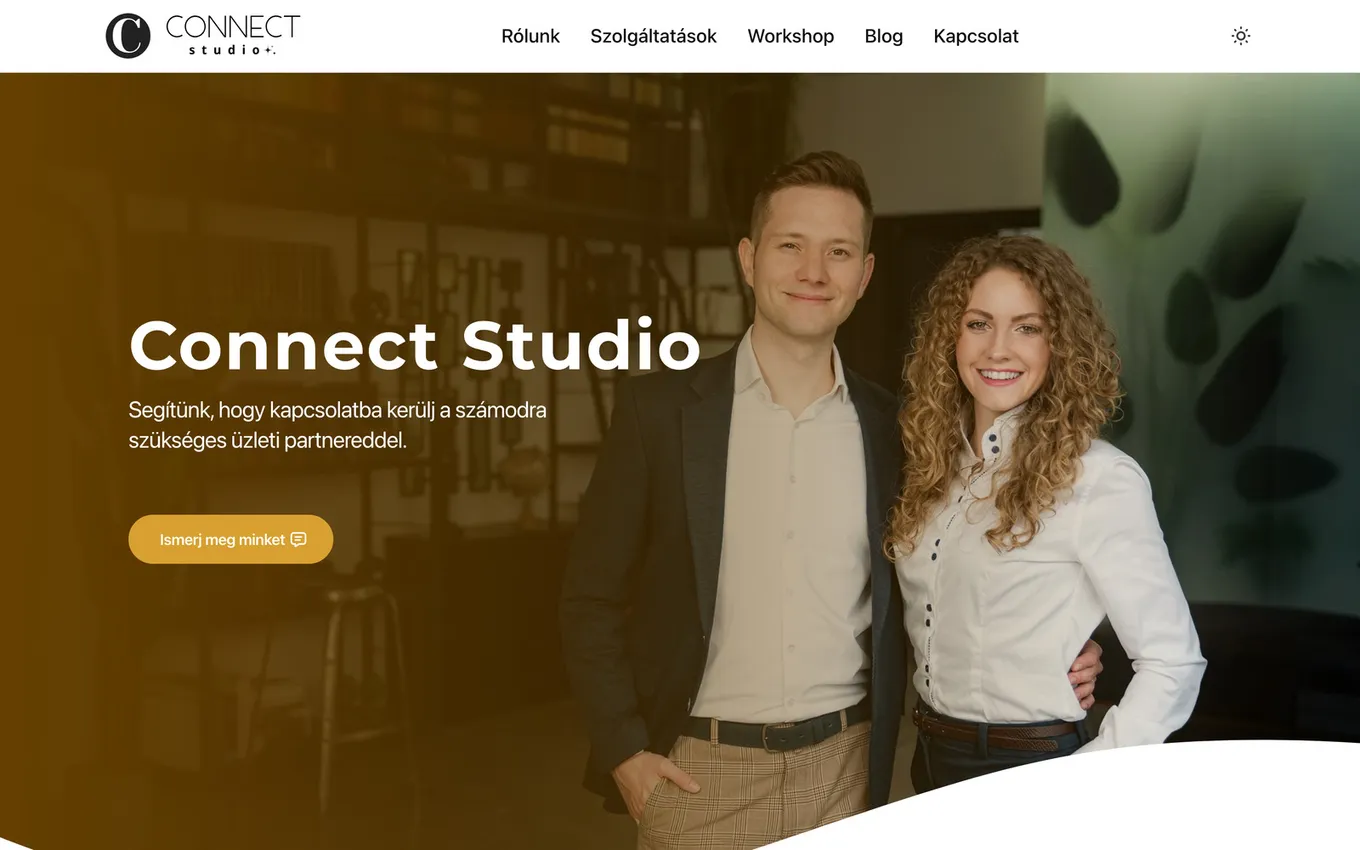
Connect Studio started from a different place. Its previous website used stock photos throughout. On the new site, there are no stock photos anymore. Photographer @visionbyptmn created the portraits and team photos, and we built the website and integrated the images into it and the marketing campaign pages.
The photos show the founders and team in a professional working environment, as well as a few moments from their talks. That gives visitors a clearer picture of who they might work with. The Connect Studio team wanted the site to feel more professional and higher quality, and they were enthusiastic about investing in photos made for their own business. You can see the photos on their homepage and LinkedIn workshop page.

Team portrait by @visionbyptmn, featured on the Connect Studio website.
There is an important caveat here too. The website update happened alongside a wider marketing effort: campaign pages, forms, and webinar content. We cannot separate the effect of the photos from all that other work. What we can see is that the team chose to replace generic imagery with photos that actually represented them, and that the finished site now feels more like their business.
Photos work best as part of the whole
As I said at the start, professional photos are not necessarily a magic switch. But it’s clear that a website works through many things together: a clear message, useful pages, thoughtful design, fast loading, and visuals that feel true to the business.
Photos need care on the technical side, as a high-resolution image can slow a page if it is uploaded without resizing or compression. But low-quality images just make you seem unprofessional and sloppy. Relying only on stock photos might seem like a good idea, until we consider that users often ignore generic images that add no useful information to a website (source: https://www.nngroup.com/articles/photos-as-web-content/). We need good photography and good website-building practices to serve the images in the best format without making the experience slow. This takes both a photographer and a developer thinking about where and how the images will be used.
If you are planning a new site or modernizing an existing one, think about the photos while planning the pages. Who should visitors meet? What should they see the team doing? Which moments would help explain the service? A little planning makes it easier to get useful portraits and working shots, rather than a folder of images that never find a place on the site.
For me, going the extra mile is not about making every business look glossy. It is about showing the real people and work clearly. That can be a meaningful differentiator, especially when everything else on the site supports the same goal. I would not promise that photos alone will bring more visitors or customers. Instead, I would say they can help the right people understand and trust what they are seeing.
Planning a website update?
The photos, content, design, and technical work should support the same goal. Tell me what you want your website to do, and we can work out what belongs in the project.
Talk about your website